
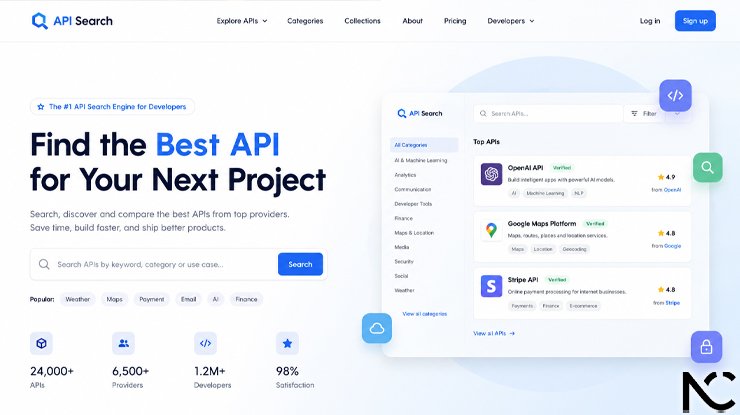
If you have ever built a website or app, you know how important it is to help users find what they need quickly. That is where a search API comes in. A search API is a tool that lets you add powerful search features to your product without building everything from scratch.
In this guide, we will talk about what a search API is, why the company homepage matters, and which API search companies are the best right now. Whether you are a developer, a product manager, or just someone curious about the topic, this guide is for you.
What Is a Search API?
A search API (Application Programming Interface) is a ready-made service that lets your website or app search through large amounts of data very fast. Instead of writing all the search code yourself, you connect to the API and it does the heavy work for you.
For example, when you type something in a search box on an e-commerce site and results appear in less than a second, that is often a search API working behind the scenes.
Search APIs are used in:
- Online stores to help customers find products
- News websites to search through articles
- SaaS tools to find files or data
- Mobile apps that need fast search results
Why Does the Company Homepage Matter?
When you are choosing a search API provider, the first thing you usually see is their homepage. The homepage tells you a lot about the company. A good homepage should:
- Explain clearly what the service does
- Show pricing or a link to pricing
- Offer a free trial or a demo
- Have clear documentation links
- Look professional and easy to use
If a homepage is confusing or hard to read, that is often a sign the product or support may also be hard to work with. A clean, simple, and honest homepage builds trust. Developers especially value clear information without too much marketing language.
Top API Search Companies and Their Homepages
Here is a look at some of the best API search companies and what makes their homepage and service stand out.
1. Algolia
Algolia is one of the most well-known search API companies in the world. Their homepage is clean, fast, and developer-friendly. It clearly explains that Algolia offers fast, relevant search results for websites and apps.
What makes Algolia stand out:
- Very fast search results (often under 1 millisecond)
- Easy to set up with good documentation
- Offers AI-powered search features
- Has a free tier for small projects
- Used by big companies like Twitch, Lacoste, and Under Armour
Their homepage does a great job of showing real use cases and offering a “Start for Free” button, which encourages developers to try before they buy.
2. Elasticsearch (by Elastic)
Elasticsearch is a powerful open-source search engine. The company Elastic built it and offers a cloud version with extra features. Their homepage is more technical and targets developers and engineering teams.
What makes Elastic stand out:
- Very flexible and customizable
- Can handle huge amounts of data
- Great for log analysis, app search, and enterprise search
- Has a large open-source community
- Offers both free (self-hosted) and paid cloud versions
The Elastic homepage is informative and gives a lot of detail about how their platform works. It is ideal for companies with in-house developers who want full control.
3. Typesense
Typesense is a newer search API that has grown quickly in popularity. It calls itself an “open-source, typo-tolerant search engine.” Their homepage is friendly, modern, and easy to understand even for beginners.
What makes Typesense stand out:
- Very easy to set up
- Handles spelling mistakes well (typo tolerance)
- Open-source and free to self-host
- Also offers a managed cloud version
- Great for developers who want simplicity
Typesense’s homepage is honest and simple. It clearly says what the tool does, how fast it is, and how much the cloud version costs. This transparency is a big plus.
4. Meilisearch
Meilisearch is another open-source search engine that is gaining attention. It is designed to be fast, simple, and easy for any developer to use. Their homepage is clean, welcoming, and uses simple language.
What makes Meilisearch stand out:
- Easy to install and start using
- Instant search as you type
- Great documentation for beginners
- Free and open-source
- Has a cloud option for those who do not want to manage servers
Meilisearch’s homepage feels approachable. It invites you to try their demo right on the page, which is a smart move for gaining developer trust.
5. Swiftype (by Elastic)
Swiftype is a search solution also connected to Elastic. It focuses more on website search and app search for businesses. Their homepage explains the product well and targets companies looking for a done-for-you solution.
What makes Swiftype stand out:
- Built-in website crawling to index your content
- Easy to add to any website
- Good analytics to understand what users search for
- Part of the trusted Elastic brand
6. SearchApi.io
SearchApi is a relatively new player but one that has built a strong reputation for search engine results API services. Their homepage is straightforward and targets marketers, developers, and data analysts.
What makes SearchApi stand out:
- Lets you get real-time Google, Bing, and other search engine results via API
- Simple and clear pricing
- Good for SEO tools, research apps, and data scraping projects
- Fast and reliable results
7. SerpApi
SerpApi is a popular service for scraping search engine results pages (SERPs). Their homepage clearly explains what they do and offers live demos. It is a favorite among marketers and data professionals.
What makes SerpApi stand out:
- Supports Google, YouTube, Amazon, and more
- Easy to use with many programming languages
- Good documentation
- Offers a free plan with limited searches
What to Look for When Choosing a Search API
Now that you know some of the top companies, here are the main things to check before you pick one:
1. Speed: How fast does the search return results? Speed matters a lot for user experience.
2. Relevance: Does the search show the most useful results first? A good search engine understands context, not just keywords.
3. Pricing: Is there a free tier? Is the paid plan affordable for your size of project?
4. Documentation: Is it easy to learn how to use the API? Good docs save you hours of work.
5. Support: If something breaks, can you get help quickly?
6. Scalability: Can the service handle more users as your project grows?
7. Features: Do you need typo tolerance, filters, faceted search, or AI-powered ranking? Make sure the API supports what you need.
How to Read a Search API Homepage Like a Developer
When you visit a search API company homepage, here is a simple checklist to evaluate it:
- Is the value clear in one sentence?
- Is there a demo or free trial available?
- Is pricing visible or easy to find?
- Are there real customer examples or case studies?
- Is the documentation easy to access?
- Does it show how many companies already use it?
A homepage that answers all these questions quickly is a sign of a trustworthy company.
Common Use Cases for Search APIs
Search APIs are used in many types of projects. Here are a few examples:
- E-commerce: Helping shoppers find products by name, color, size, or category
- SaaS apps: Searching through user data, documents, or settings
- News and media: Letting readers search through thousands of articles
- Job boards: Helping job seekers find the right listing
- Developer tools: Searching through code, documentation, or GitHub repos
- Customer support: Helping agents find answers in a knowledge base
Conclusion
Choosing the right search API is an important decision for any developer or business. The best companies make it easy from the very first visit to their homepage. They explain what they do, offer a free way to try it, and back it up with clear documentation and honest pricing.
From Algolia’s speed and polish to Typesense’s simplicity and openness, there is a good option for nearly every project and budget. Take time to visit each homepage, try a demo, and read a bit of the documentation before making your choice.
A good search experience can make a big difference in how users feel about your product. So pick a search API that makes both your life and your users’ lives easier.
Frequently Asked Questions (FAQs)
Q1: What is a search API? A search API is a service that allows you to add search features to your app or website without building the search engine from scratch. You send a query to the API and it returns matching results.
Q2: Are search APIs free to use? Many search APIs offer a free tier with limited usage. For example, Algolia, Typesense, and Meilisearch all have free options. If your project grows, you will likely need a paid plan.
Q3: What is the fastest search API? Algolia is well known for very fast search speeds, often returning results in under one millisecond. Typesense and Meilisearch are also very fast.
Q4: Can a non-developer use a search API? Some search APIs are easier to use than others, but most require at least basic coding knowledge. However, tools like Swiftype offer simpler setups with less code needed.
Q5: What is the difference between Algolia and Elasticsearch? Algolia is a fully managed service that is easier to set up but less customizable. Elasticsearch gives you more control and is better for large or complex projects, but it takes more technical skill to manage.
Q6: What is typo tolerance in search? Typo tolerance means the search engine can still find the right results even if the user makes a spelling mistake. For example, typing “sheos” might still show results for “shoes.” Typesense and Meilisearch are especially good at this.
Q7: What is a SERP API? A SERP API (Search Engine Results Page API) lets you pull real results from search engines like Google or Bing. Companies like SerpApi and SearchApi.io specialize in this.
Q8: How do I know if a search API is reliable? Look for companies that show uptime guarantees (like 99.9%), have active support channels, and have positive reviews from other developers. A clear and honest homepage is also a good sign.
Q9: Can I switch search API providers later? Yes, but it can take some work. It is a good idea to research your needs carefully before starting so you do not have to switch later. Some APIs use similar query formats, which makes switching easier.
Q10: Is open-source search better than a paid service? It depends on your team. Open-source options like Meilisearch and Typesense are free to self-host and give you full control. Paid services like Algolia handle everything for you, saving time but costing more money. Both can be excellent choices depending on your situation.
Click for more amazing info. News Cora
